

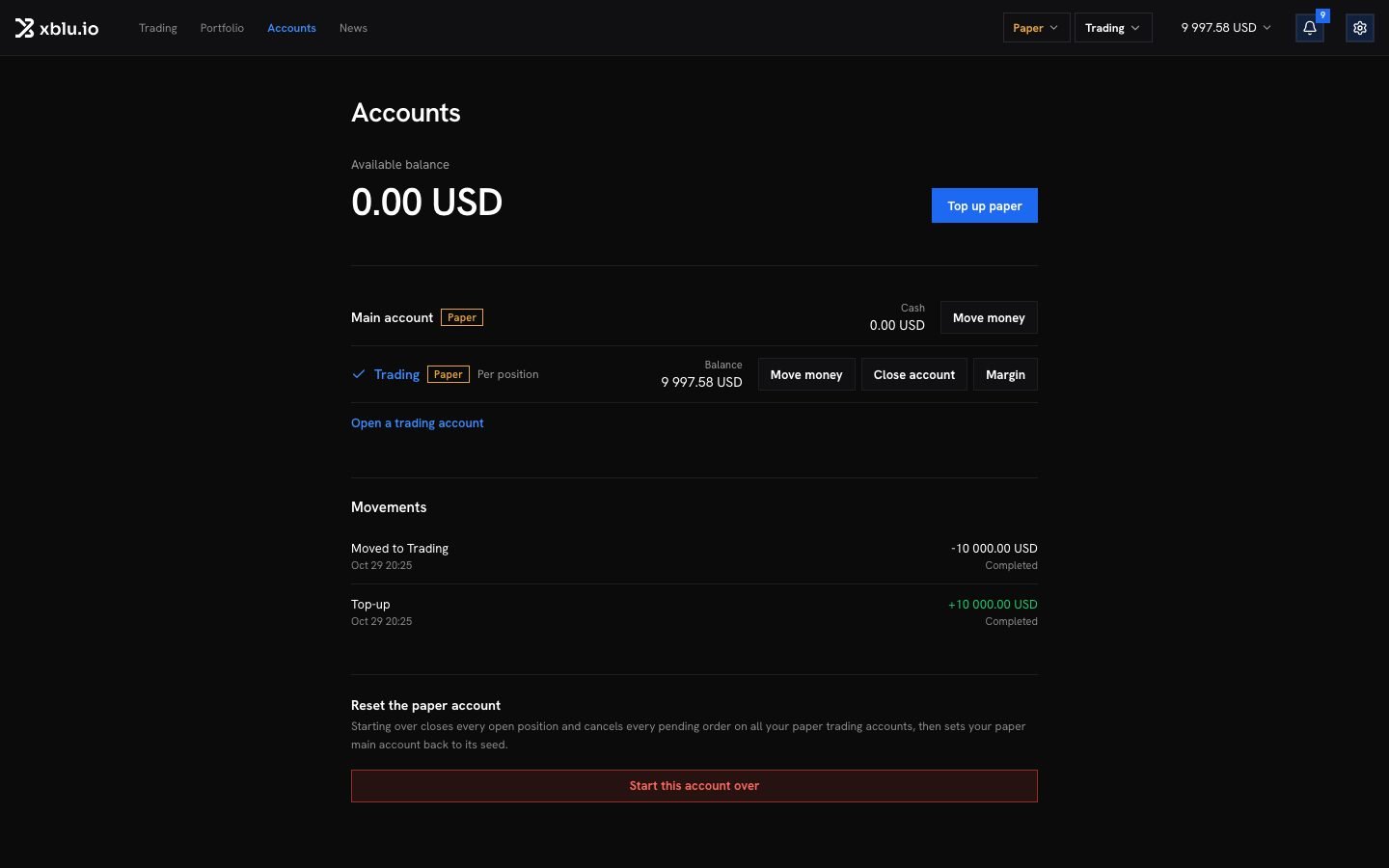
- Main account: it holds your cash. Deposits arrive here and withdrawals leave from here. It does not place orders.
- Trading accounts: orders are placed from a trading account. You can open several, for example one per strategy.
Choose the account you trade on
Two menus sit at the top of the screen:- The mode menu switches between Live and Paper.
- The trading account menu shows the name of the account your orders go to. Click it to pick another. Manage accounts opens the Accounts page.
Move money
1
Open Move money
On the Accounts page, click Move money on the account the money leaves.
2
Choose the accounts
Choose From and To. Money moves between your main account and its trading accounts, either way. Swap the two accounts reverses them.
3
Enter the amount
The form shows what the source can give: its cash for the main account, what is not held as margin for a trading account. Max fills it in. Click Move.
If no answer comes back, the money may already have moved. Ask again from the same form: it moves once, not twice.
Open a trading account
Click Open a trading account, give it a name such as “Swing” or “Long term”, and click Open. It opens empty, and orders now go to it. Move money to it from your main account when you want to trade on it.How an account is margined
Each trading account is margined one of two ways. Click Margin on the account to change it.
An account changes how it is margined only while it holds nothing. Close its positions and orders first. See Leverage and margin and Liquidation, margin calls and stop-outs.
Close a trading account
Click Close account on the trading account.- If it still has positions or orders, Close everything closes its positions at the market price and cancels its orders first.
- If money is still on it, move it to your main account first.
- If it owes money, move that much into it from your main account, then close it.