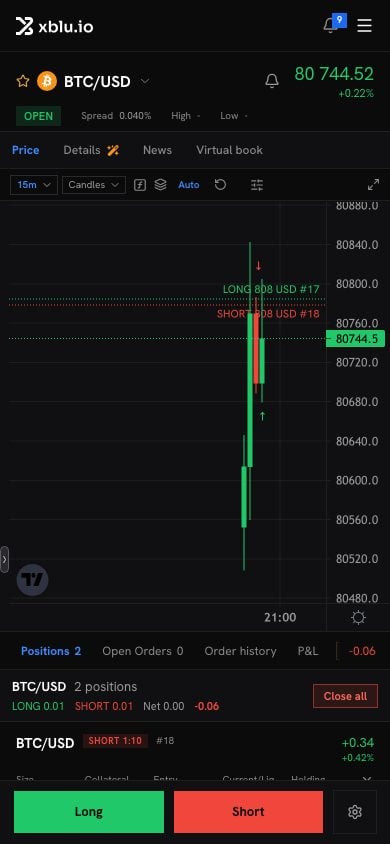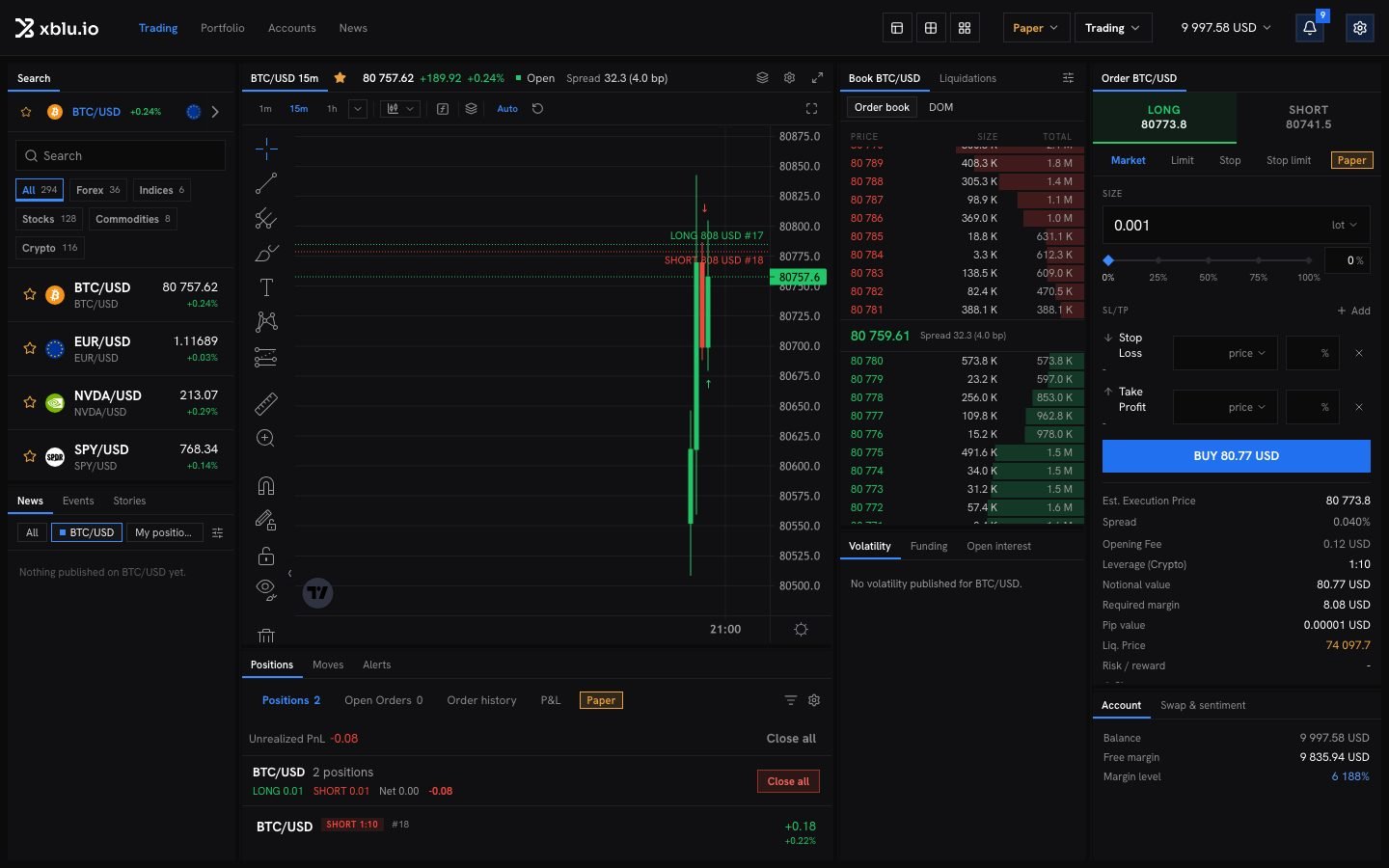
The top bar
From left to right:- Trading, Portfolio, Accounts and News.
- The chart layout buttons: one chart, two, or a grid.
- The mode menu, Live or Paper, and the trading account menu, which shows the name of the account your orders go to.
- The balance of that trading account. Click it for the EQUITY, the MARGIN, the FREE MARGIN, the MARGIN LEVEL and the STOP-OUT.
- Deposit, the notifications bell, and the gear, which opens Settings.
The instrument bar
It shows the instrument the ticket trades: its name and favourite star, its session, its price, its 24h move, its spread, its 24h high and low, and whether the market is open. Click the instrument’s name to choose another. The list has tabs for Forex, Indices, Stocks, Commodities and Crypto, a search, and your Recent instruments. You can also press / to search.Market states
Stocks also show their session: Regular hours, Pre-market, After-hours or Overnight. Outside regular hours, the spread can be multiplied; the badge says by how much.
The chart
Candles, line or area, with drawing tools and up to three indicators per chart. Your take profit, stop loss, limit orders and open positions are drawn on it as lines, tagged on the price axis. Drag a TP or SL line to move it.The order book
On wide screens, a column shows the order book: the consolidated depth of several crypto venues for crypto instruments. Click a price level to fill the ticket at that price. Nothing is sent until you confirm.The ticket
Where you place orders. See Place an order.The positions panel
Tabs for Positions, Open Orders, Order history and P&L. It shows a Live or Paper badge, your Unrealized PnL and Close all. See Manage positions.On a phone
Below 1024 pixels wide, the terminal becomes one page. A fixed Long / Short bar sits at the bottom: tapping a side opens the ticket as a sheet, with the volume, the leverage and the required margin before you confirm.