

Before a first deposit
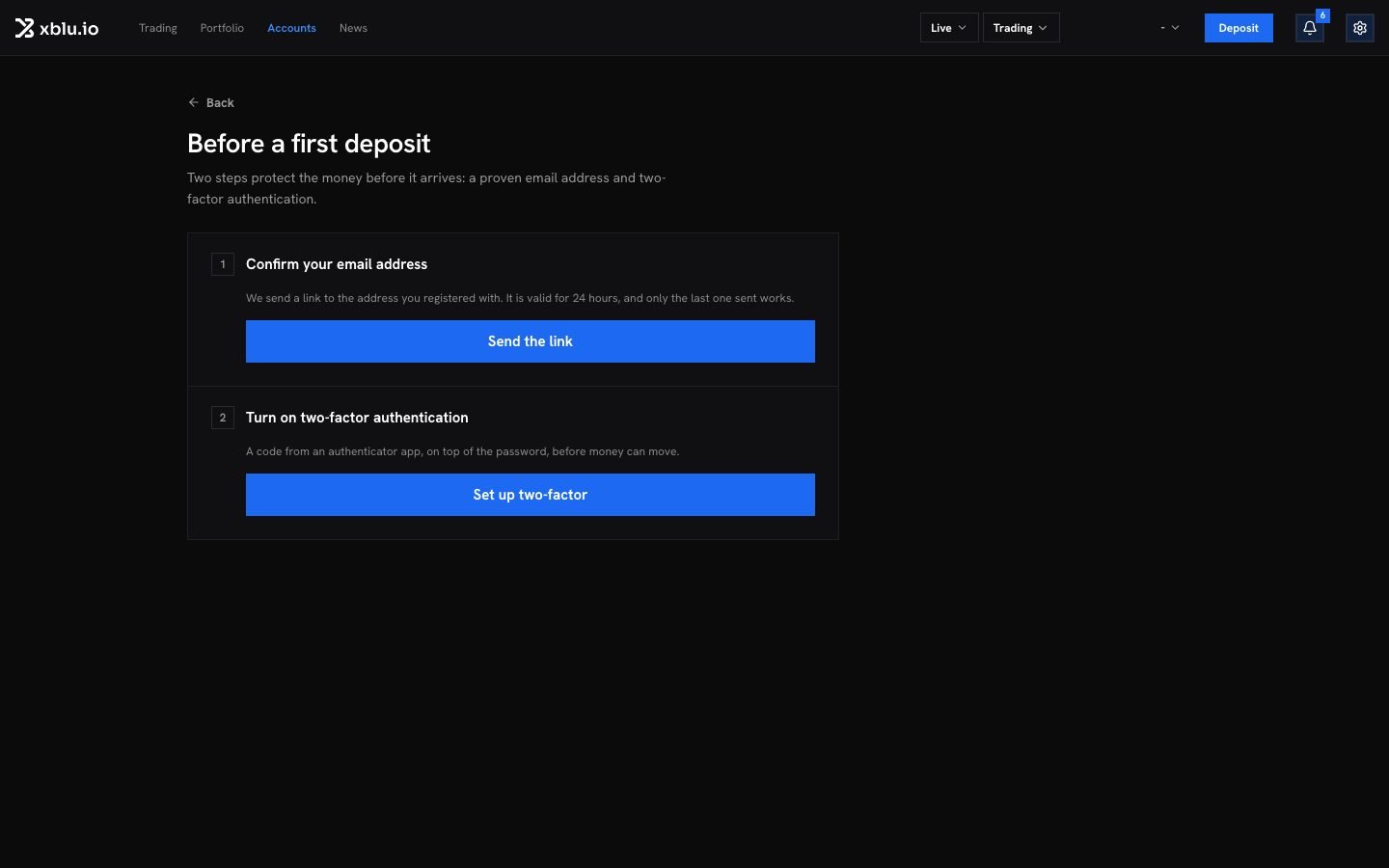
Two steps protect the money before it arrives. The deposit page shows them under Before a first deposit:1
Confirm your email address
Click Send the link and open the email. The link is valid for 24 hours, and only the last one sent works.
2
Turn on two-factor authentication
Click Set up two-factor and scan the code with your authenticator app. See Two-factor and passkeys.
Deposit by card
1
Open the deposit page
Click Deposit at the top of the screen, or on the Accounts page.
2
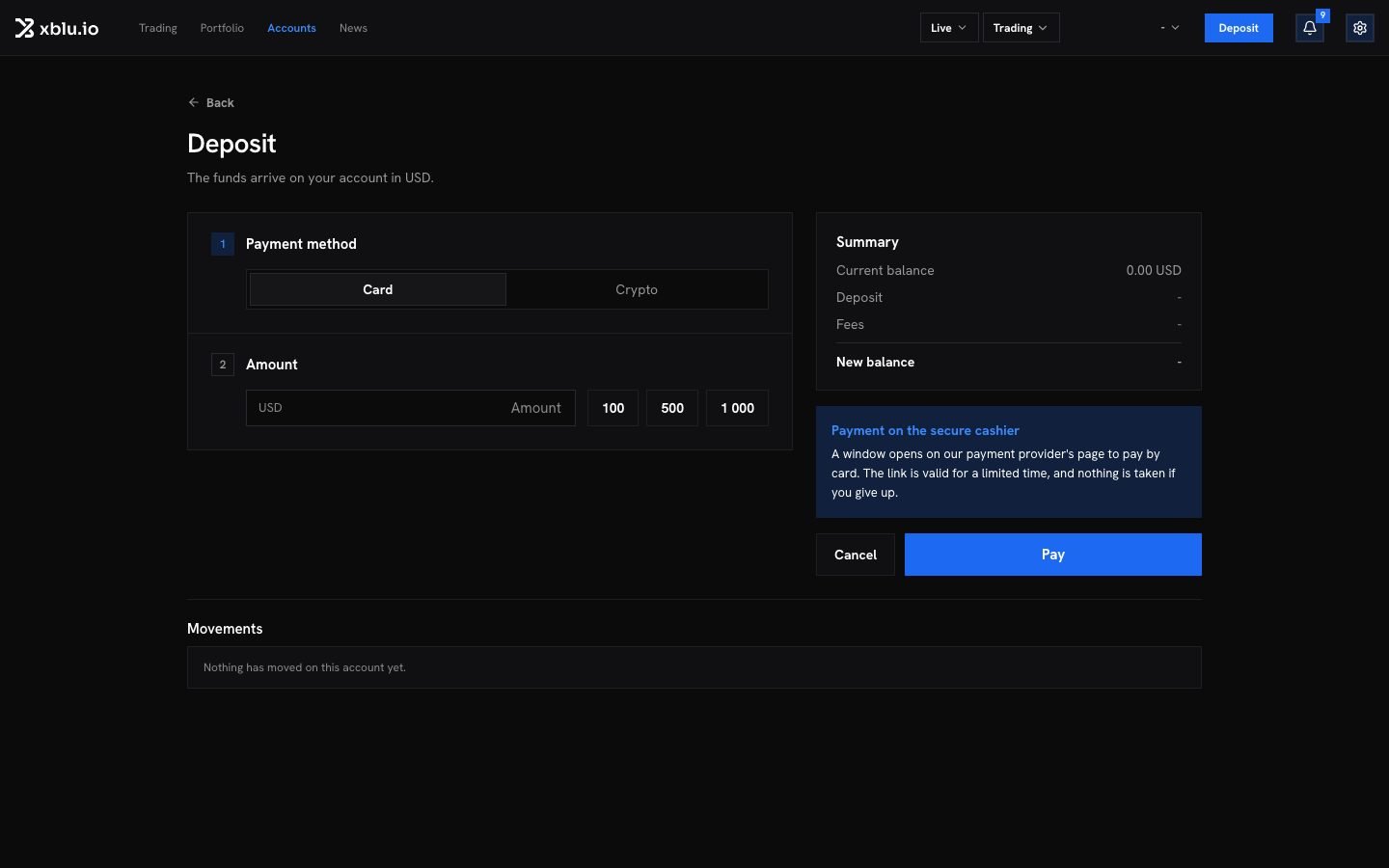
Choose Card and the amount
Under Payment method, choose Card and enter the amount. The Summary shows your Current balance, the Fees and your New balance. The page states the minimum and the maximum per deposit.
3
Pay on the secure cashier
Click Pay. A window opens on our payment provider’s page. Enter your card there. The link is valid for a limited time, and nothing is taken if you give up.
4
Wait for the credit
Back in the app, Confirming the payment… shows until the provider confirms. Then your available balance updates.
Deposit in crypto
You pay from your own wallet. These are the tokens each network takes:
The page lists the ones open right now. A network that cannot take a deposit at the moment says so, and nothing is taken.
1
Choose Crypto
Under Payment method, choose Crypto, then the Token and network.
2
Enter the amount
The page shows what reaches your account. Some networks go through a bridge and its costs are taken off. Others credit the amount in full. Each route takes a minimum per deposit, shown under the amount.
3
Send to the address shown
Click Show the address. Copy the address, or scan its QR code, and send the exact token on the exact network shown.
4
Follow the transfer
Transfers on this address lists what arrives, with its status. Your account is credited in your account currency once the network confirms.
Deposit statuses
A crypto deposit can also show Held for a check. Nothing is lost. Our team reviews it before it is credited. If the bridge cannot deliver a transfer, it shows Refunded by the bridge. We send it back to you.
If you sent a token the page did not name, or on another network, write to us from the account concerned with the transaction. See Where to get help.