

Before you start
A withdrawal is confirmed with a code from your authenticator app, so two-factor authentication has to be on. See Two-factor and passkeys.Request a withdrawal
1
Open Withdraw
On the Accounts page, click Withdraw. The page shows Available to withdraw now.
2
Choose how it is paid
Where the page offers both, choose:
- USDC or USDT: choose the Token and the Network, then paste your address on that network. Today the networks offered carry USDC: Arbitrum One, Ethereum, Base, OP Mainnet, Polygon PoS, HyperEVM and Solana. The page lists the ones open right now, and the minimum each takes.
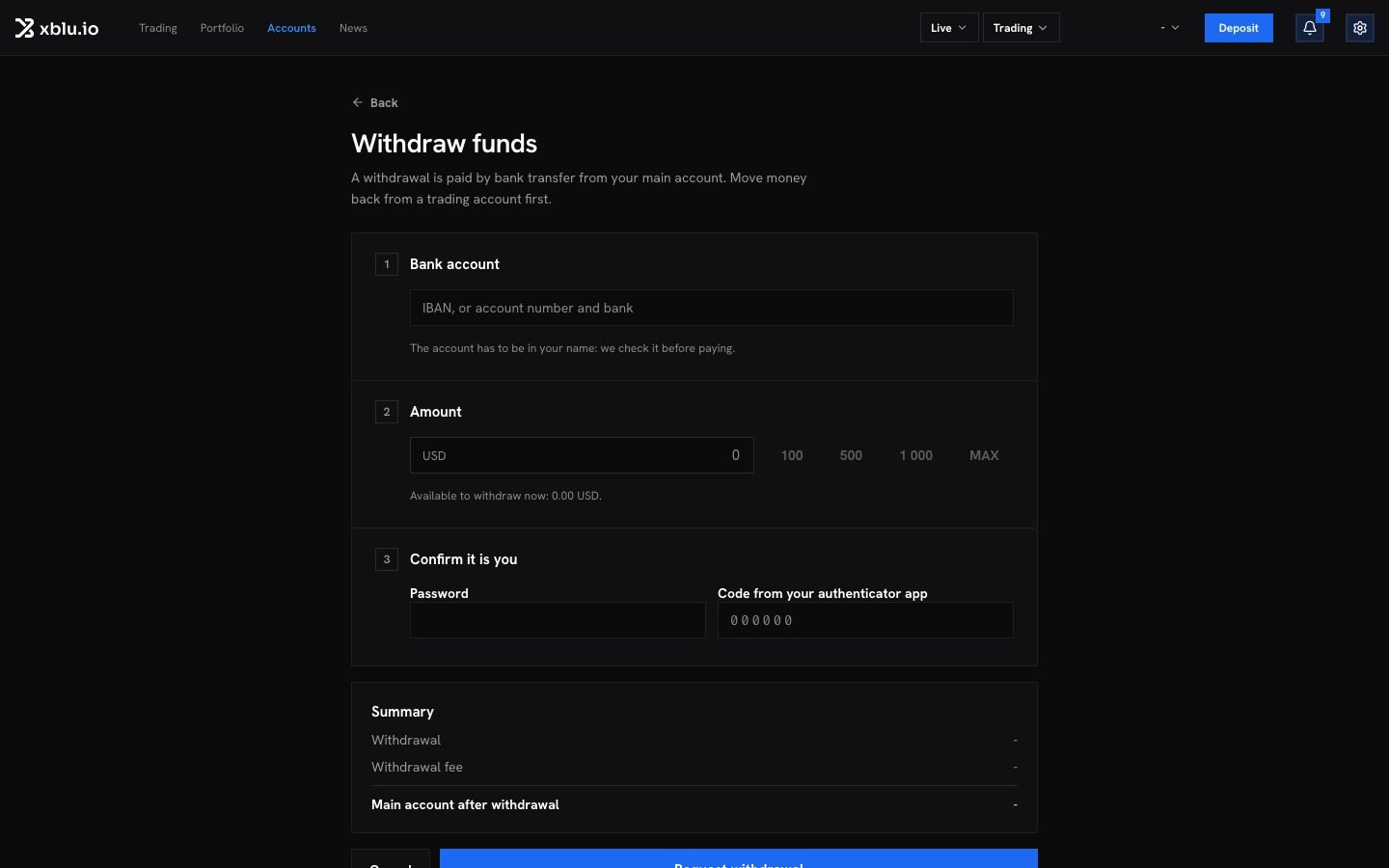
- Bank transfer: enter your IBAN, or your account number and bank. The account has to be in your name: we check it before paying.
3
Enter the amount
The Summary shows your Main account after withdrawal. For a bank transfer, it shows the Withdrawal fee. For USDC, it shows what You receive and when it Arrives: no fee is taken, and you receive the amount you asked for.
4
Confirm it is you
Enter your password and the code from your authenticator app. If you lost your phone, click Use a recovery code instead. If you have a passkey, you can click Use a passkey instead. Then click Request withdrawal.
How long it takes
A review is answered within 72 hours. Without an answer by then, the amount returns to your balance. Until it is paid, the amount stays held on your main account, and Available to withdraw now leaves it out.
Follow a withdrawal
Your withdrawals lists each request with its progress: Requested, Review, Sent, Arrived. A crypto withdrawal links to its transaction once sent. A bank transfer shows its payment reference. Each request also shows its state:
A transfer that cannot be delivered, or a review not answered within 72 hours, returns the amount to your balance.