

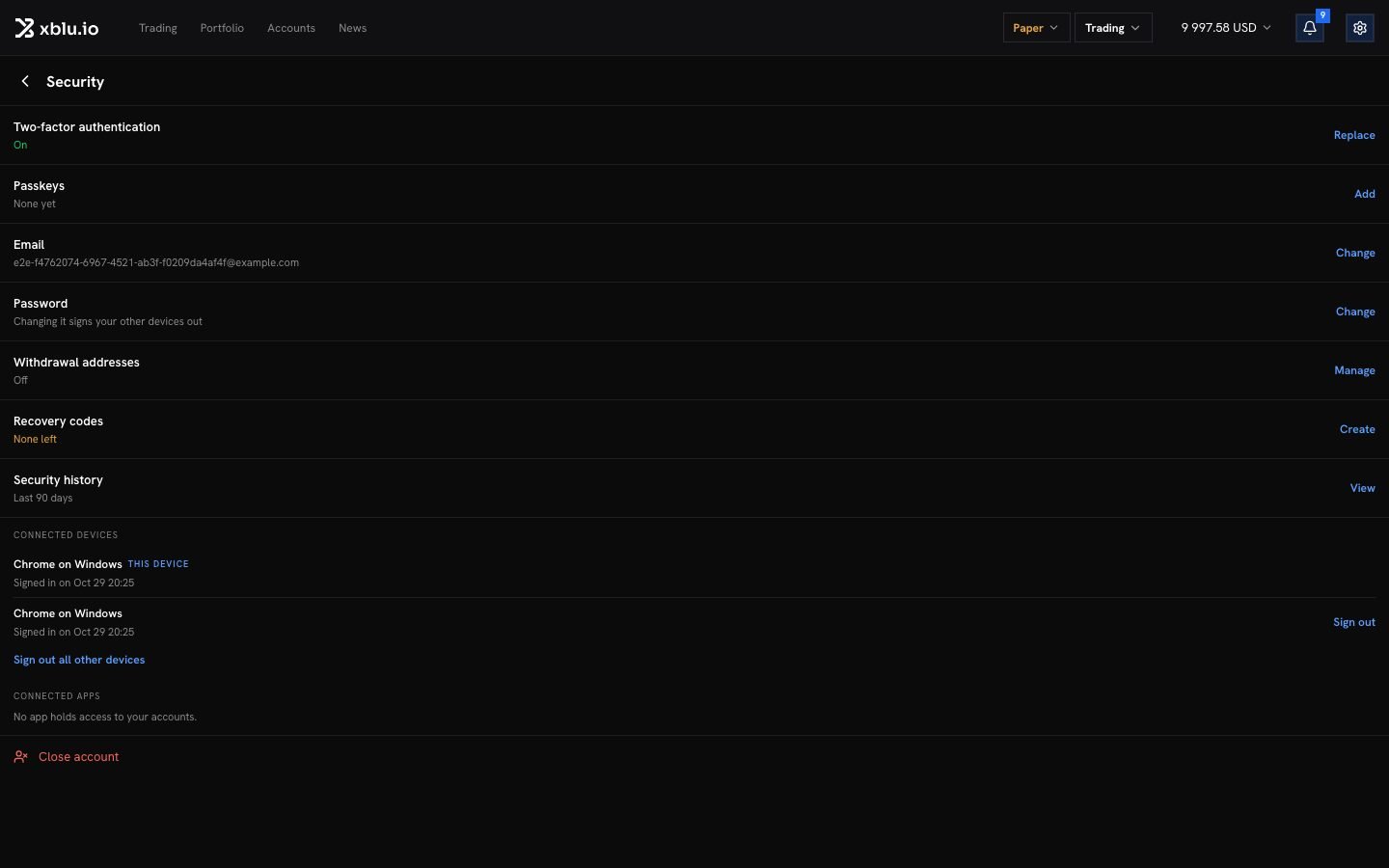
Change your password
Next to Password, click Change. Enter your current password and the new one twice. Your other devices are signed out; this one stays signed in. Forgot it? On the sign-in page, click Forgot your password? The reset link is valid for thirty minutes. Once saved, every open session is closed.After too many wrong passwords, signing in with a password is paused. Click Email me a sign-in link: it works for 15 minutes, once.
Connected devices
Connected devices lists every browser signed in to your account. Click Sign out next to one, or Sign out all other devices.Security history
Security history lists every sign-in and every change to your account’s security in the last 90 days, newest first, with the place. If you do not recognise one, change your password now.Change your email
Next to Email, click Change, enter the new address and click Send the link. Your email changes once you open the link at the new address. Your current address is told too. Withdrawals then wait 24 hours.Withdrawal addresses
With the address book on, withdrawals go only to the addresses in it.- Turn it on with Turn on and your password. It needs two-factor authentication.
- Add this address: we email you a link to confirm it. Once confirmed, it can be used 24 hours later.
- Turning the book off makes withdrawals wait 24 hours.