

% Risk is offered on every instrument. lot is offered on the instruments traded in lots:
Markets and hours lists them, with what one lot is.
The currency is offered once you are signed in, and always on an instrument traded by amount only.
The screenshots on this page come from a demo account holding 10,000 USD. Every price and figure
on them is an example.
Size in lots
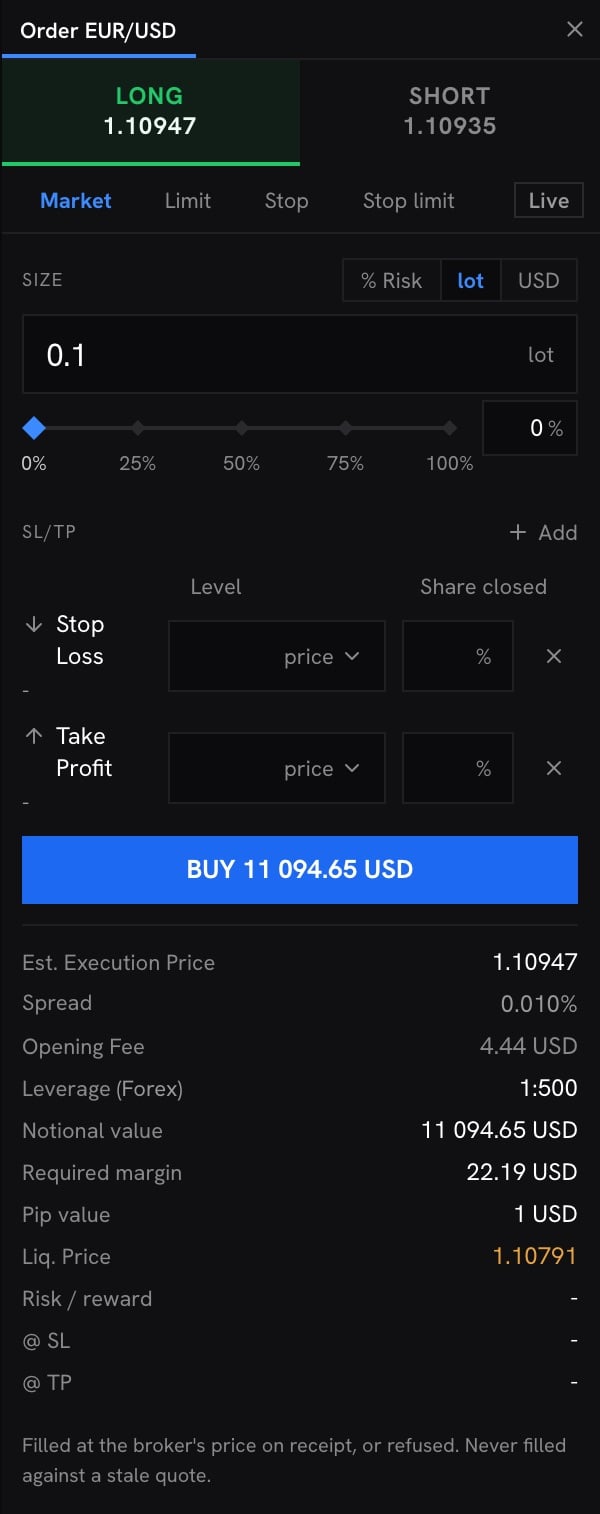
The ticket prices from the fill price to more places than the row writes, so a product of the
rounded price can differ from its figure by a few cents.
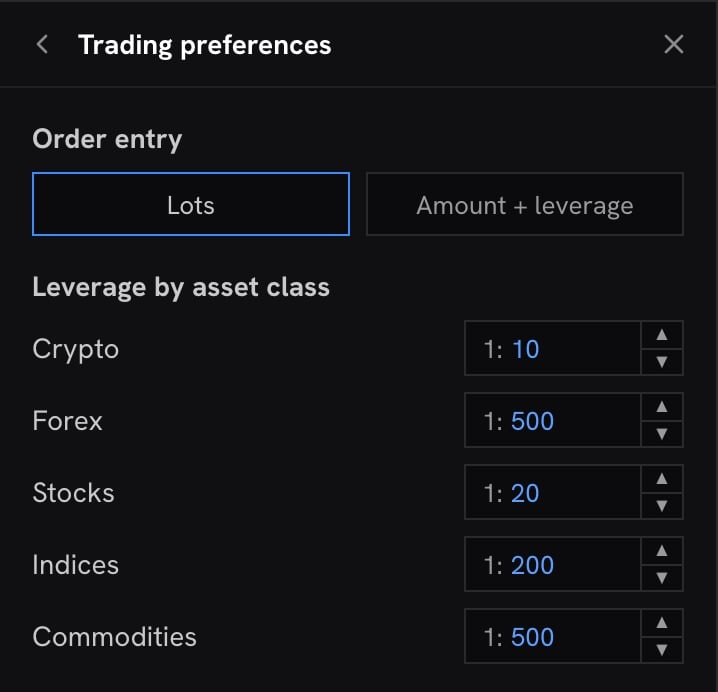
Where the leverage comes from
Leverage in lots
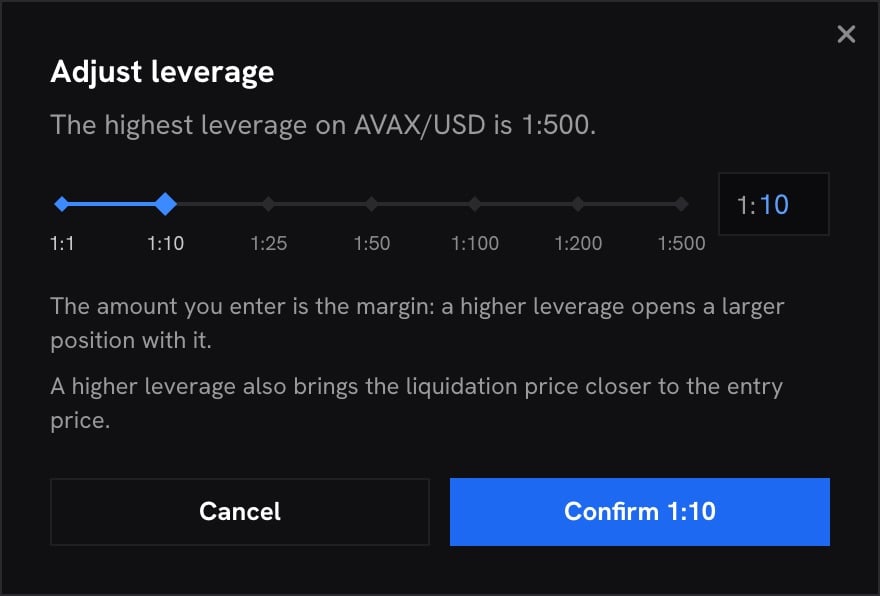
Leverage by amount
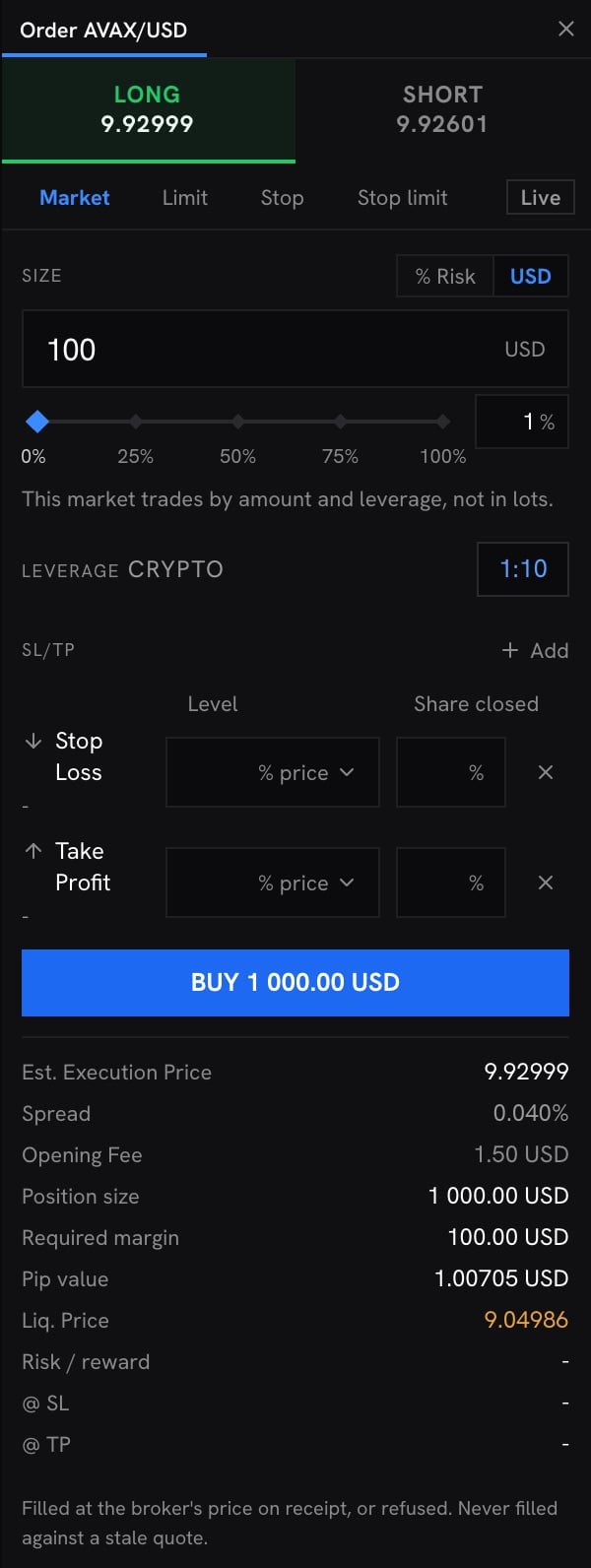
Size by amount
Size by risk
1
Click % Risk
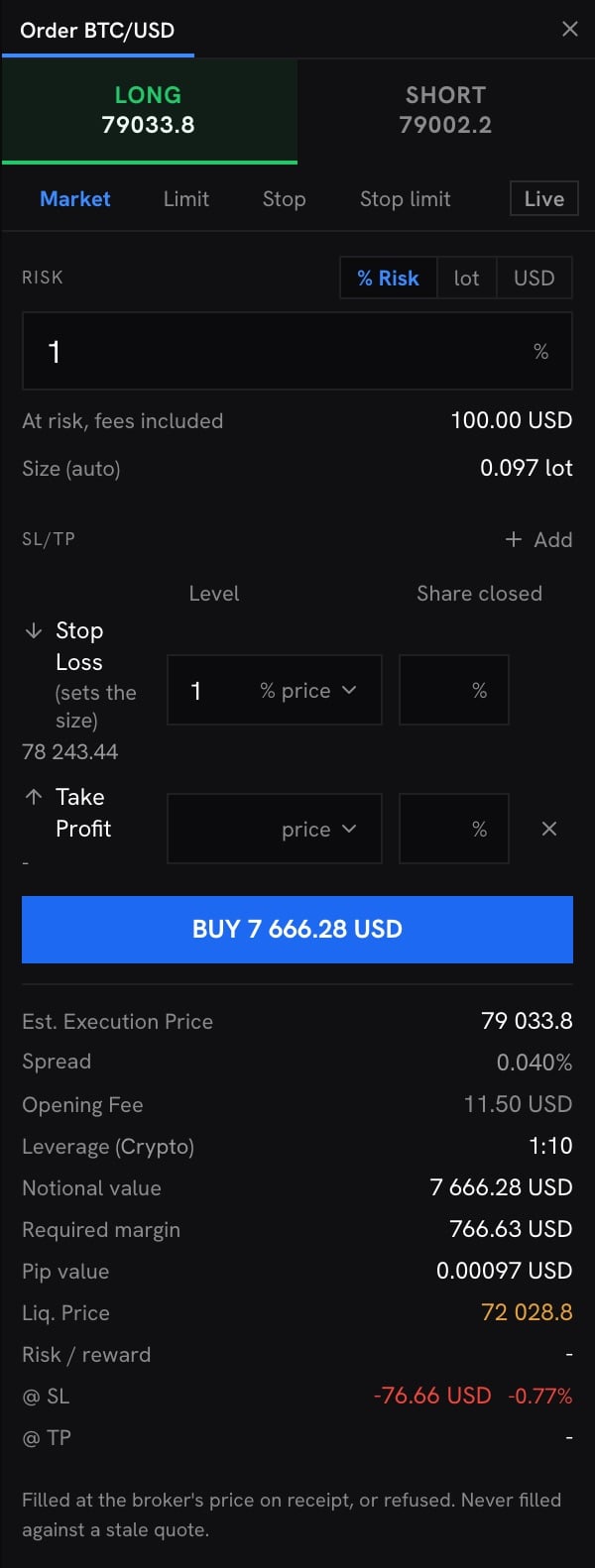
The field becomes Risk, in percent of your balance, and the stop loss row reads (sets the size). While the risk sizes the order, the stop loss cannot be removed.
2
Enter the share of your balance
For instance 1. Under the field, At risk, fees included writes it in money: 1% of 10,000 USD is 100.00 USD. The balance is the trading account’s balance, without the result of the positions still open.
3
Set the stop loss
As a price or as a percentage of the price, or in points on an instrument you enter in lots. Size (auto) then writes the size the risk sets: 0.097 lot of BTC/USD for a stop 1% under the buy price.
How the size is worked out
The ticket takes the largest size, on the instrument’s step, whose loss at the stop loss, fees included, stays within the money at risk:- The loss at the stop is the distance from the price you fill at (a limit or stop order’s own price) to the stop, times the contract size, times the lots. The spread is inside that distance: a buy fills at the ask, and its stop closes at the bid.
- The fees are every commission the order pays: at the open on the fill price, and at the close on the stop price, with the surcharge on a fill outside regular hours when it applies.
One step more, 0.098 lot, would lose 100.57 USD, so the ticket stops at 0.097. Without the fees,
the same 100 USD would have bought 0.126 lot. The @ SL row shows the move alone, and the share
of the balance it is: the fees are what take the loss at the stop up to the risk you set.
With several stop levels
To leave in steps, click Add, then Stop Loss again, and give each row its Share closed. The risk counts each level for the share of the order it closes: the distance is the average of the levels, weighted by their shares, and each level’s close pays its commission. Together, the levels have to close the whole order. The first stop row can be left without a share: it then closes the rest, and it has to be the farthest level. Every row you add names its own share.What the risk does not cover
- A stop that fills worse than its level. A stop loss closes at the market once the price reaches it. In a fast or gapping market it can fill beyond its level, and the loss can be larger than the risk. See How a stop loss fills.
- The nights the position stays open. The overnight swap, and the borrow charge on a short share, are charged each night and are not part of the risk.
- A price that moves before the fill. The size is worked out from the fill price on screen, and a market order fills at the price on receipt.